Team Health Check — Overview
Team Health Check is an open-source team health assessment platform inspired by Spotify's Squad Health Check Model. It enables organizations to systematically surface where teams need support and track improvement over time using a simple red / yellow / green scoring system across 11 health dimensions.
What It Does
Team Health Check replaces ad-hoc "how are we doing?" conversations with a structured, repeatable process:
- Team members complete a short survey (11 questions, ~5 minutes) each assessment period.
- Team leads review aggregated results on their dashboard — radar charts, response distributions, and trend lines.
- Managers, Directors, and VPs see roll-up views across all supervised teams, enabling them to spot patterns and allocate support.
- Admins configure the organizational hierarchy, manage users and teams, and tune assessment cadences.
All data is stored in PostgreSQL and exposed via a versioned REST API (/api/v1/). The frontend is a Next.js 15 app served on port 3000; the backend is a Go / Gin API served on port 8080.
Who Uses It
| Role | Primary surface | What they do |
|---|---|---|
| Team Member | /home, /survey |
Complete health check surveys each period |
| Team Lead | /dashboard |
Review team health, trends, and individual responses |
| Manager | /manager |
View aggregated health across supervised teams |
| Director / VP | /manager |
Organization-wide health overview |
| Admin | /admin |
Configure hierarchy, users, teams, dimensions |
Key Problems It Solves
- Organizational blind spots: Managers rarely know which teams are struggling with delivery speed, code health, or psychological safety until it is too late. Team Health Check makes these signals visible on a regular cadence.
- Guessing at root causes: Without structured data, improvement efforts are hit-or-miss. The 11-dimension model pinpoints which area needs attention.
- Lack of trend visibility: One-off surveys are forgotten. Team Health Check plots assessment periods (e.g., "2025 - 1st Half", "2024 - 2nd Half") so you can see whether changes are working.
- Distributed teams: Spotify's original model requires in-person workshops. Team Health Check enables fully asynchronous participation for distributed organizations.
Core Philosophy
Health checks are a support tool, not a performance evaluation mechanism.
- "Red" means "needs help", not "bad team". A red score in Delivery Speed triggers a conversation about blockers, not a performance review.
- Trust-based: The system relies on honest self-assessment. Never use individual responses to evaluate employees.
- Flexible: Hierarchies, dimensions, and cadences are all configurable to fit your organization's structure.
Health Dimensions
Teams assess themselves across 11 dimensions each period:
| Dimension | Good State | Bad State |
|---|---|---|
| Mission | We know exactly why we are here and are excited about it | We have no idea why we are here |
| Delivering Value | We deliver great stuff; stakeholders are really happy | We deliver crap; stakeholders hate us |
| Speed | We get stuff done quickly; no waiting, no delays | We never seem to get anything done |
| Fun | We love going to work and have great fun together | Boring |
| Health of Codebase | Clean code, easy to read, great test coverage | Technical debt is raging out of control |
| Learning | We are learning lots of interesting stuff all the time | We never have time to learn anything |
| Support | We always get great support when we ask for it | We keep getting stuck without help |
| Pawns or Players | We control our destiny and decide what to build | We are just pawns with no influence |
| Easy to Release | Releasing is simple, safe, painless, and automated | Releasing is risky, painful, and takes forever |
| Suitable Process | Our way of working fits us perfectly | Our way of working sucks |
| Teamwork | We are a tight-knit team that works together well | We are individuals who do not care about each other |
Score mapping: 1 = Red (needs support), 2 = Yellow (mixed), 3 = Green (healthy).
Each response also captures a trend (improving / stable / declining) and an optional free-text comment.
External Integrations
| Integration | Relationship |
|---|---|
| Any OIDC-compliant identity provider (Keycloak, Okta, Auth0, Google, Azure AD, etc.) | Optional SSO login; users must already exist in Team Health Check's DB — SSO does not auto-provision accounts (see Authentication & Authorization) |
| AWS SES / SMTP | Optional email notifications (e.g. password reset) |
Assessment Period Logic
Assessment periods are cadence-driven based on each team's configured cadence:
| Cadence | Format | Example |
|---|---|---|
| Monthly | YYYY Mon |
2026 Mar |
| Quarterly | YYYY Q# |
2026 Q1 |
| Half-yearly | YYYY H# |
2026 H1 |
| Yearly | YYYY |
2026 |
Legacy format: Earlier versions generated
YYYY - 1st Half(Jul–Dec ofYYYY) andYYYY - 2nd Half(Jan–Jun ofYYYY + 1). This legacy format is still parsed for backward compatibility but is no longer generated.
Screenshots
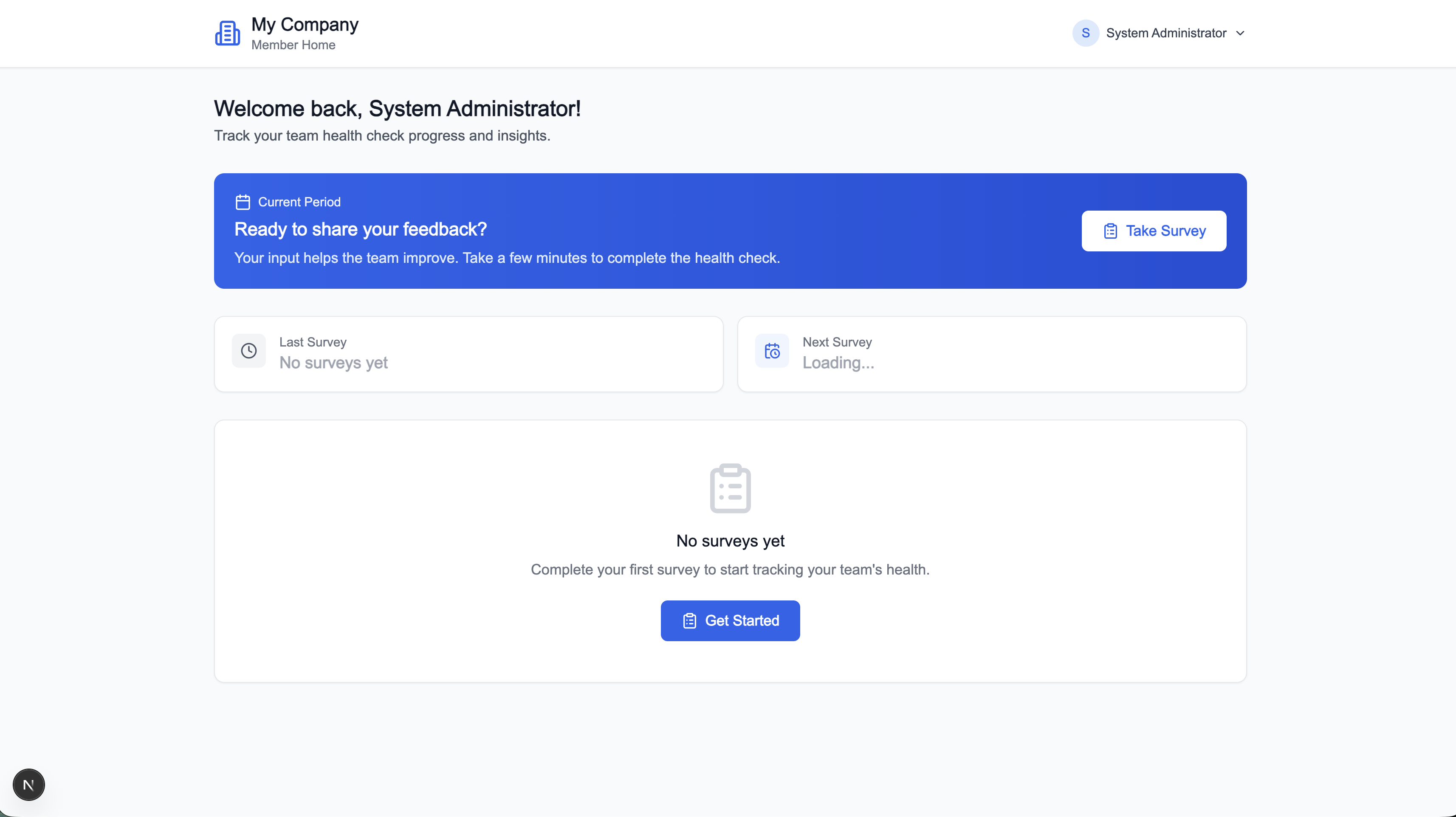
Team Member Home
The home screen shows a user's team, their survey history, and a prompt to take the current period's health check.
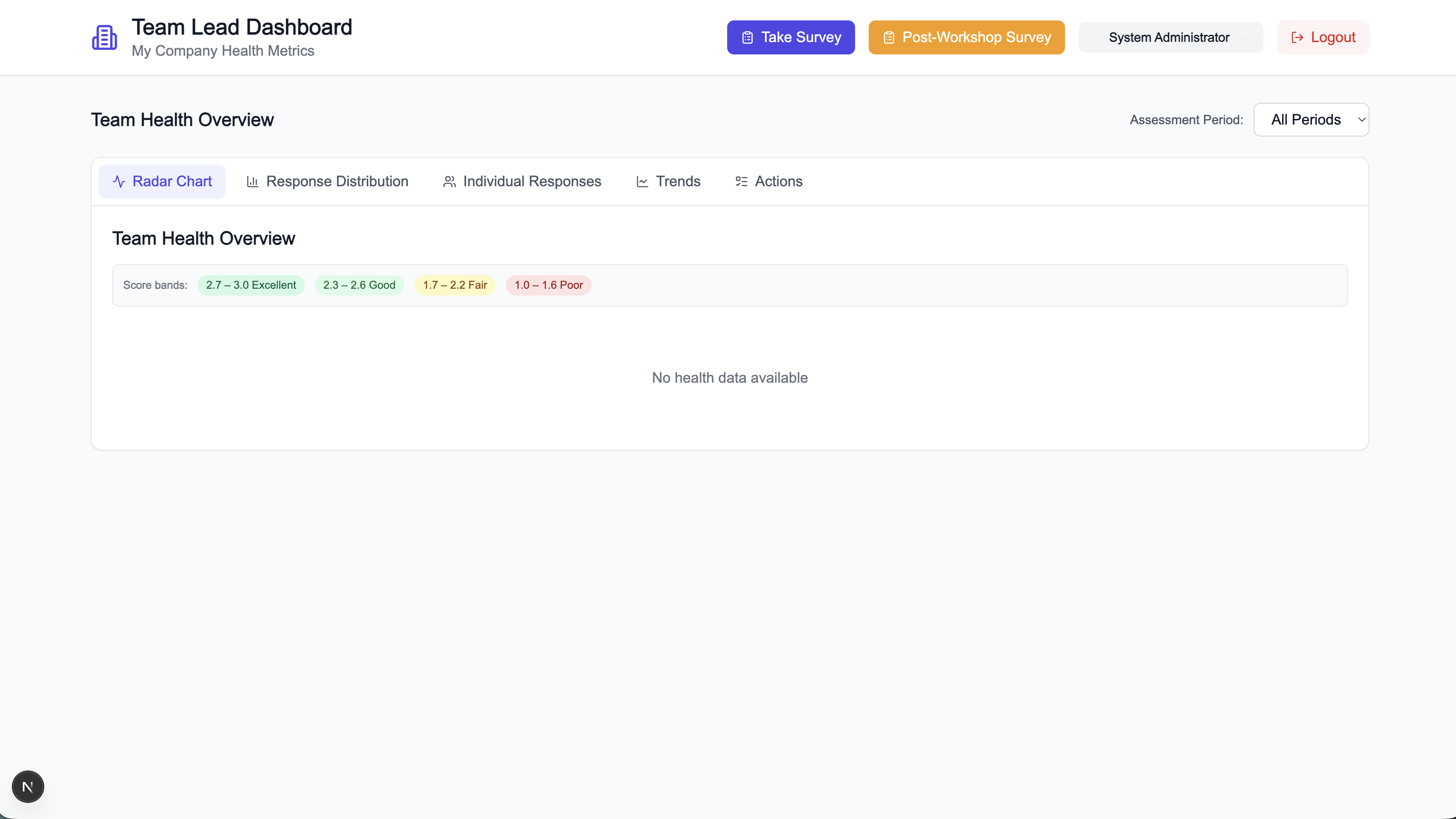
Team Lead Dashboard
Team leads see a radar chart across all 11 dimensions, a response-distribution bar chart, and individual member submissions.
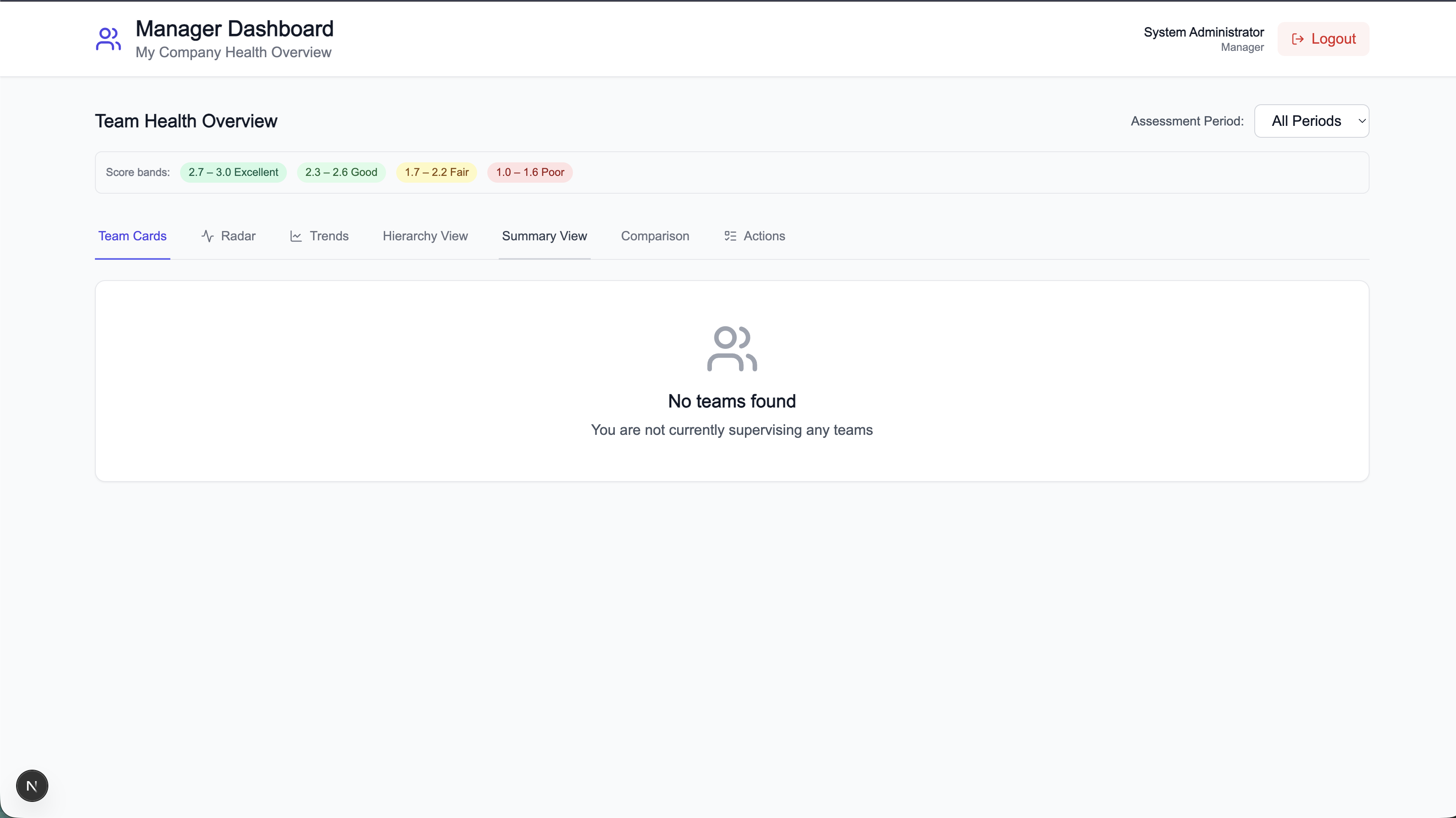
Manager / VP Dashboard
Managers and executives see health cards for each supervised team, a radar comparison across teams, and trend lines across assessment periods.
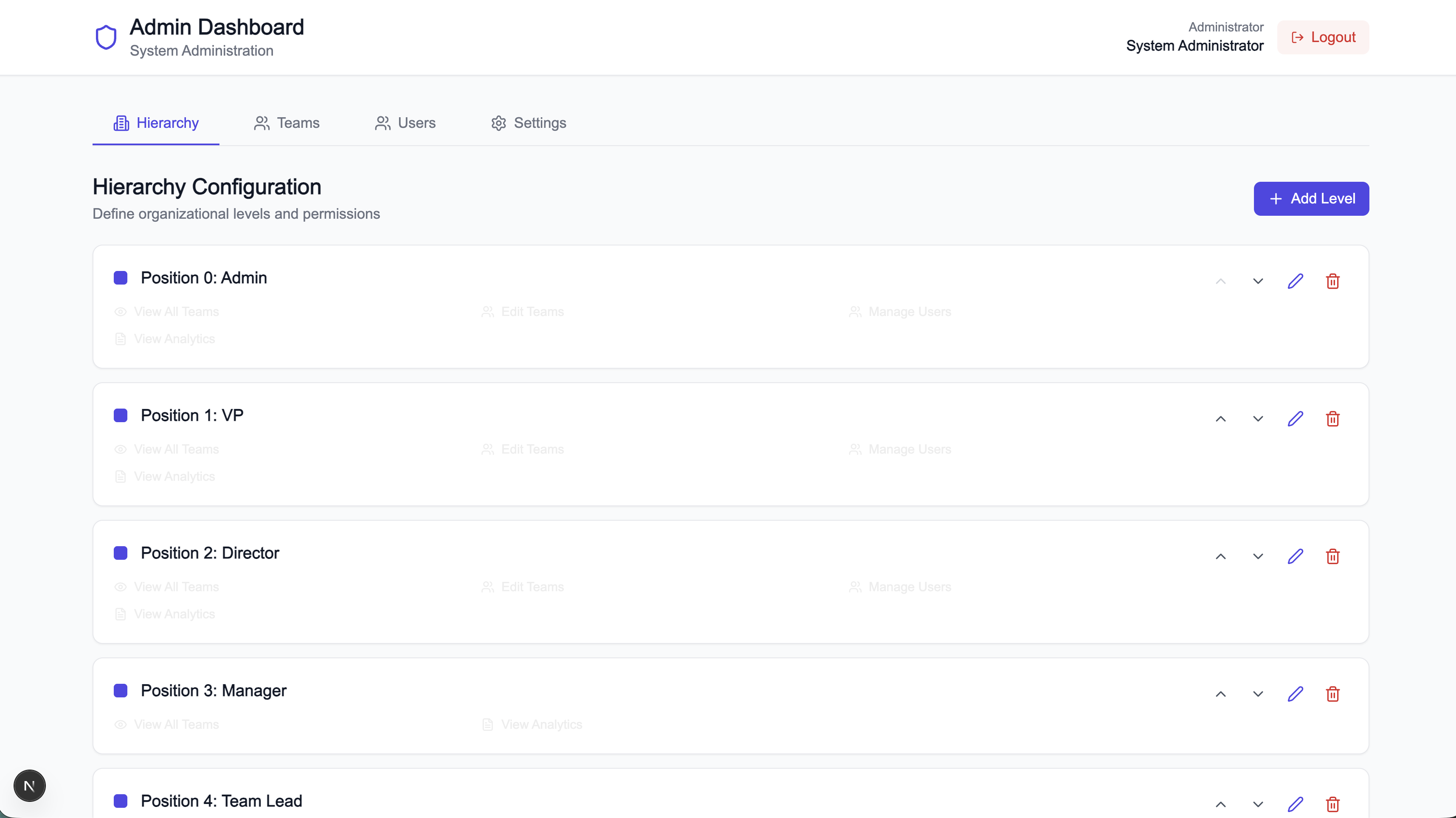
Admin Panel
Admins manage users, teams, hierarchy levels, and health dimensions without any code changes.
Quick Links
- Local Setup Guide — get running in under 10 minutes
- Architecture & Key Flows — understand the system
- Onboarding Checklist — Day-1 through Day-5
- API Reference — REST endpoint catalogue